

We’re in the middle of an AI video arms race. Sora 2, Runway Gen-4.5, Kling 3.0—the models are dropping faster than most creators can keep up with. But here’s the friction: juggling multiple subscriptions and hopping between platforms has become a silent productivity killer.
WeryAI cuts through that noise entirely. It’s an all-in-one creative suite that aggregates 20+ flagship AI models under one roof, slashing costs while streamlining the entire pipeline from generation to post-production. Here’s how it works—and why it’s earning the nickname “the Swiss Army knife of AI creation.”
What Is WeryAI?
At its core, WeryAI is a multimodal AI aggregation platform. Its pitch is integration: it plugs directly into frontier models like Sora 2, Google Veo 3.1, and FLUX, then layers on native editing tools including 4K upscaling and subtitle removal.
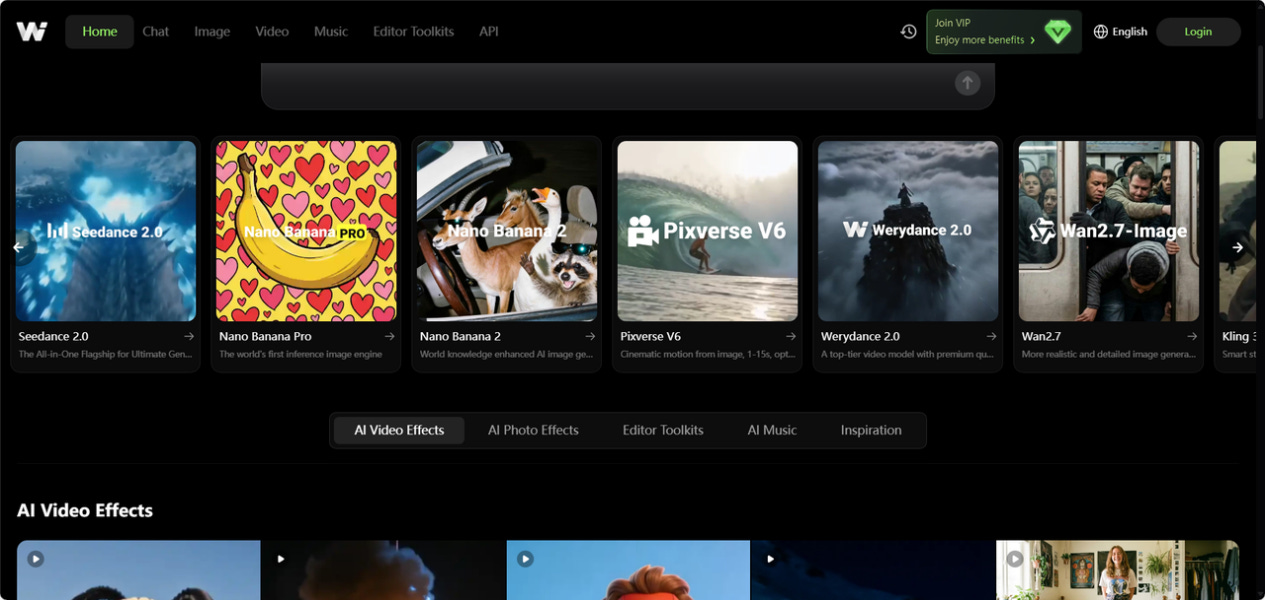
The platform has already pulled in nearly 3 million creators. Whether you’re a solo content producer cranking out social clips or a marketing team chasing commercial-grade output, WeryAI lets you handle text-to-video, image-to-video, and post-production enhancement without ever leaving the tab.
Hands-On With WeryAI:
Step 1: Registration and Dashboard Navigation
First login drops you into a clean, densely packed dashboard.
• On the Home screen, WeryAI doesn’t bury its models in submenus. Instead, it surfaces Sora 2, Kling 3.0, Werydance 2.0, and Veo 3.1 through a card-based layout. The top rail—Chat, Image, Video, Music—functions as your four main creative pillars.
Step 2: Using the AI Assistant for Pro Prompts
You don’t need to be a prompt engineer. WeryAI’s built-in Chat feature lets you talk through your concept with AI (running on GPT-5.4) to polish or generate cinematic-grade prompts. It’ll nail down your Style Tags and Shot Direction without you touching a thesaurus.
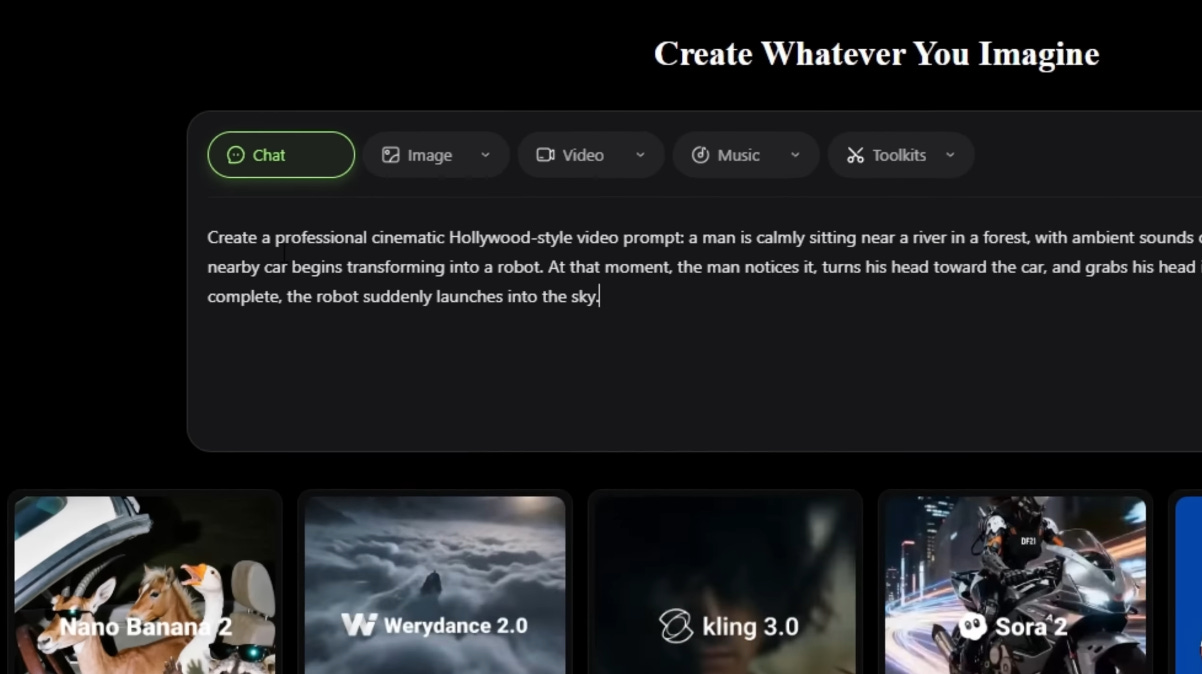
Step 3: Mode Selection
Image editing, image-to-image, or text-to-image—one click gets you there.
Step 4: Text-to-Video
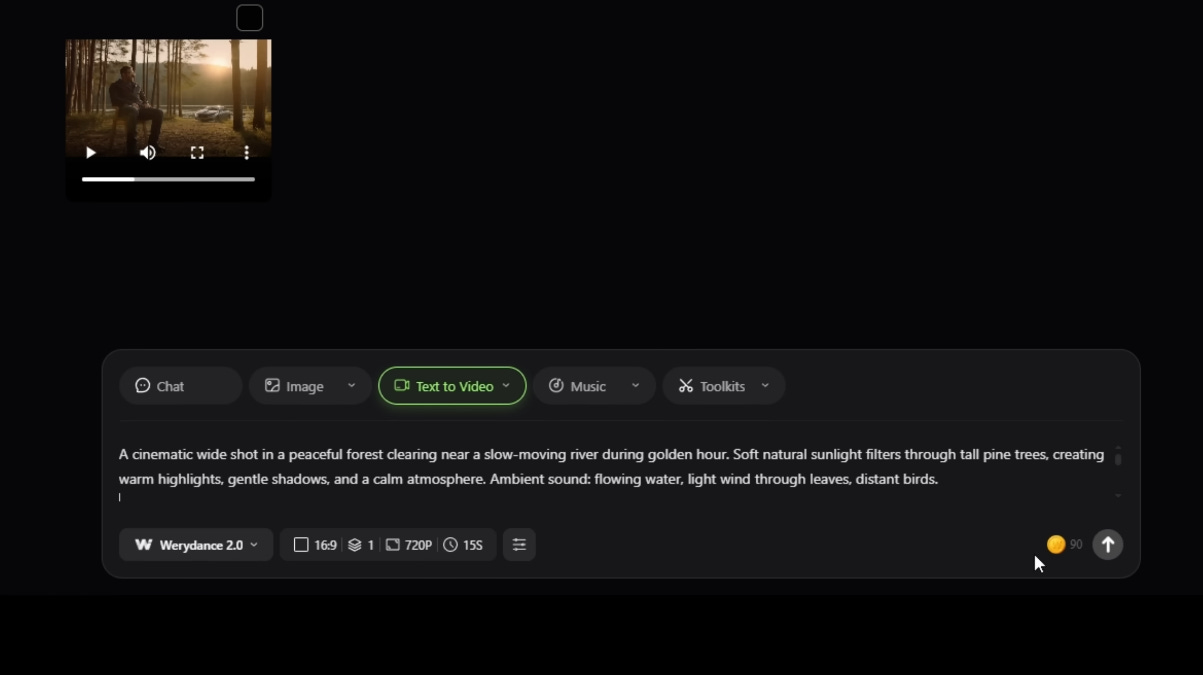
With your refined prompt in hand, head to the video generation block. This is where the aggregation model shines.
• The workflow: Paste your prompt, pick your engine (say, Werydance 2.0), then dial in the specs—16:9 widescreen, 15-second duration, 720P/1080P resolution.
Video Templates—The Fast Lane
For teams running on deadlines, WeryAI’s Video Templates (like the Arrogant Ashes preset) let you execute stylized renders in seconds.
• Swap in your core assets and the system auto-matches complex effects filters and motion patterns. It dramatically lowers the production cost of short-form content.
Going Deeper:
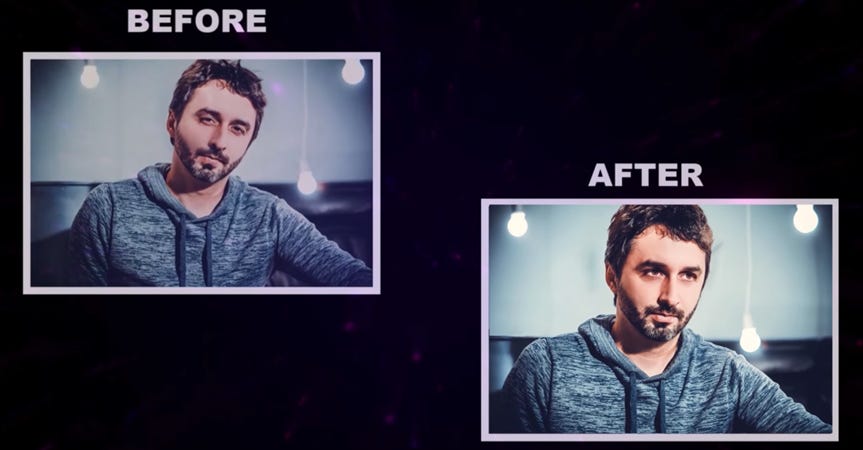
• AI Post-Processing (Optional): If the initial render lacks punch, hit the 4K Upscale tool for a one-click quality boost
.
• Export & Cleanup: Unwanted watermarks or subtitles? The built-in Smart Erase tool handles cleanup. Once it’s clean, export as a high-quality MP4.
Why WeryAI Over Individual Subscriptions?
After running through the workflow, the value proposition becomes obvious:
• Aggressive cost efficiency: No need to pay separate monthly fees for Sora or Runway. One WeryAI account unlocks 20+ models, with annual plans running as low as ~$11.91/month.
• End-to-end coverage: It doesn’t just generate—it handles AI face-swapping for localization and 4K upscaling for commercial polish.
• Zero-friction onboarding: New users get daily free credits. No credit card required to start testing the full stack.
Pricing: Top-Tier AI Productivity on a Budget
If you’re tired of stacking $100+ monthly bills across five or six different AI tools, WeryAI’s pricing is a genuine inflection point:
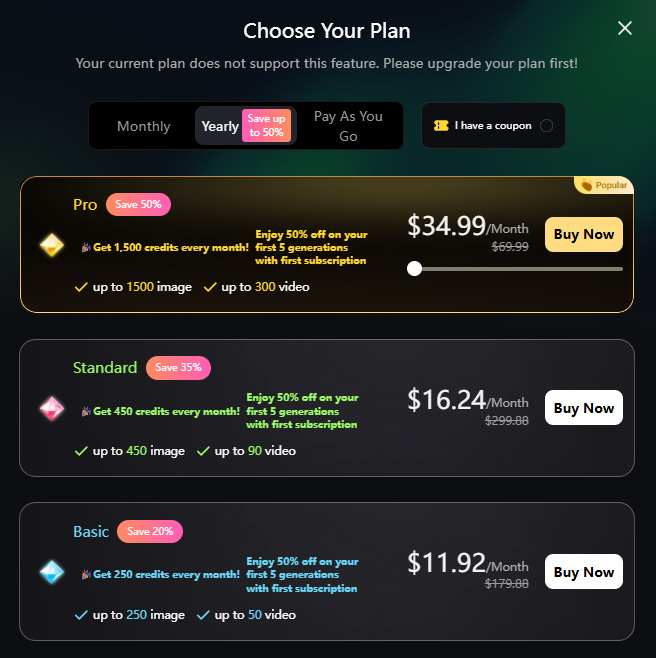
• Daily Free Credits: New signups get daily free tokens—no credit card required—to test everything from video generation to AI face swapping.
• Maximum value: The base annual tier runs roughly $11.91/month. One login gets you Sora 2, Midjourney V7, and 20+ other flagship models. Compared to à la carte subscriptions, that’s roughly 80% in savings.
• Flexible billing: Monthly or annual plans available. Toggle your subscription based on actual production cycles rather than burning cash during slow months.
For individual creators and marketing teams alike, WeryAI proves that cutting-edge AI doesn’t have to mean a cutting-edge invoice.
FAQ
Q: Can I use this without professional editing experience?
A: Absolutely. WeryAI is built to demystify complex tech. Everything runs on clicks and plain text inputs—no parameter-tweaking required.
Q: What’s the real difference between free and paid?
A: Free tier unlocks the full feature set, but outputs carry watermarks and queue times are longer. Paid removes watermarks, accelerates generation, and expands your credit pool.
Q: Any team collaboration options?
A: Yes. The Pro tier supports multi-user collaboration and copyright protection. For teams of 5+, WeryAI offers custom enterprise packages.
Final Take: Redefining Creative Efficiency
WeryAI makes a compelling case: the future of AI creation isn’t about collecting tools—it’s about seamless capability chaining. By bundling the world’s top models with robust native editing, it puts Hollywood-grade visual output within reach of anyone with an idea and a browser.
If you’re exhausted by tab-hopping across half a dozen sites, or if you want bleeding-edge model access without bleeding your budget dry, WeryAI is currently the most cost-effective aggregator on the market.
Head to WeryAI now to start your free trial—and drop your first “blockbuster” in the comments below.